


My Crumar Bit99 synthesizer
The restoration
Wooden side panels
The Tauntek firmware
The MIDI SysEx editor
Conclusion
Introduction
In January and February 2026, I had to spend a considerable amount of time in bed. To pass the time, I watched all the videos and read all the articles I could find about Italian synthesizers. I already understood that I had a strong fascination for analog poly-synths and, after some research, I began searching for a Crumar Bit 99 in particular.
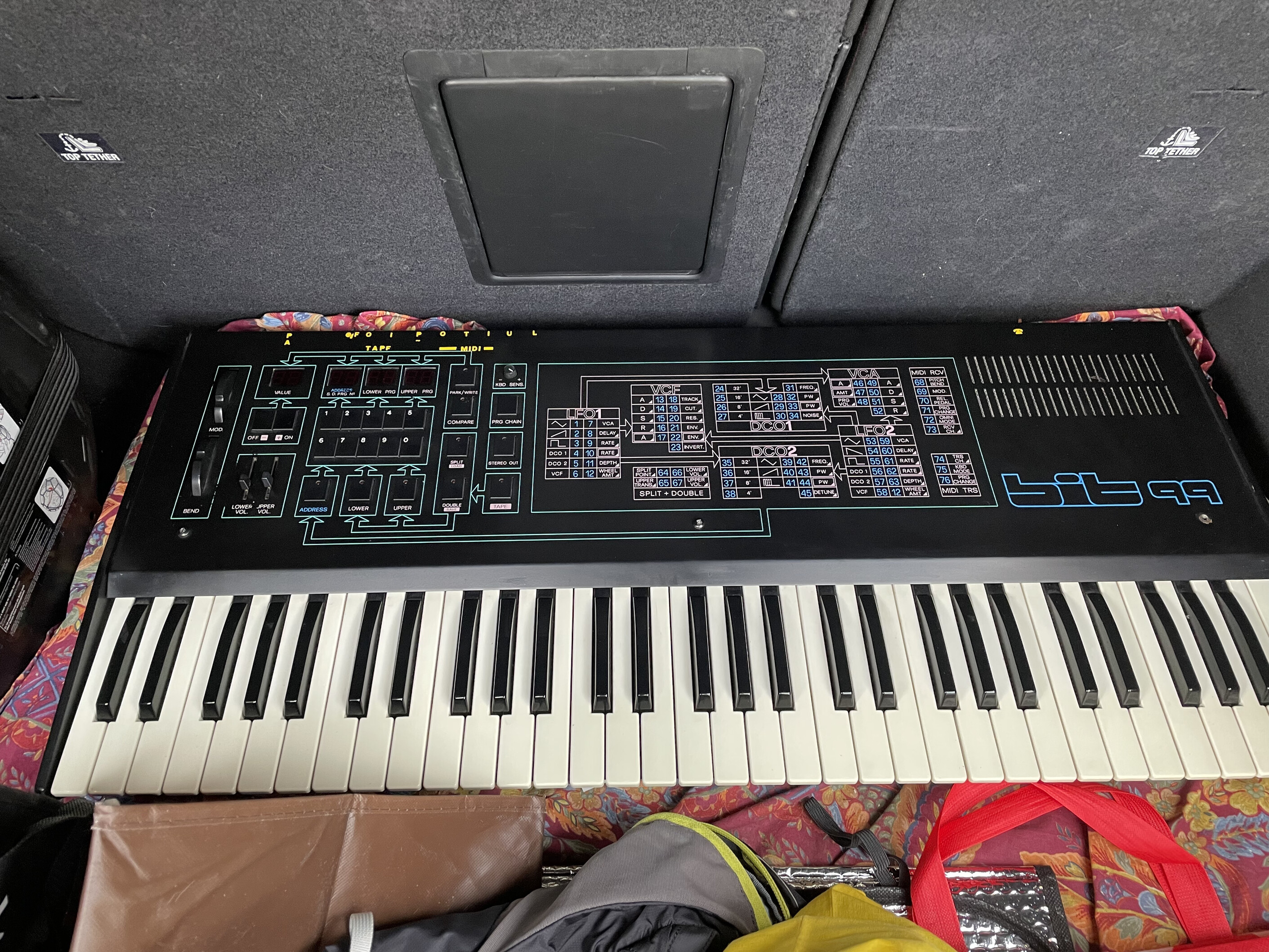
Fig. 1: How it started...
It is a very interesting analog synth sporting 6 voices and a rather complete digital control system capable of decent MIDI capabilities for 1985. It is a rather obscure synth, but it can be compared with the much more well-known Roland Juno 106. It sports a double-oscillator-per-voice architecture, but it does not include any chorus or reverberation effect.
I made an offer for a Crumar Bit 99 in the south of France in March 2026 and after a few messages, I got it for a reasonable amount of money. The previous owner was very kind and after a few days I could arrange a meeting with him to get the synthesizer (fig. 1).
The restoration
My instrument had been well used at first by someone who played in a small band. Then, it was bought by a work colleague of his, who kept it for more than 30 years. The case was in very good shape. There are signs of wear and tear, but those are to be expected in an instrument that is more than 40 years old.
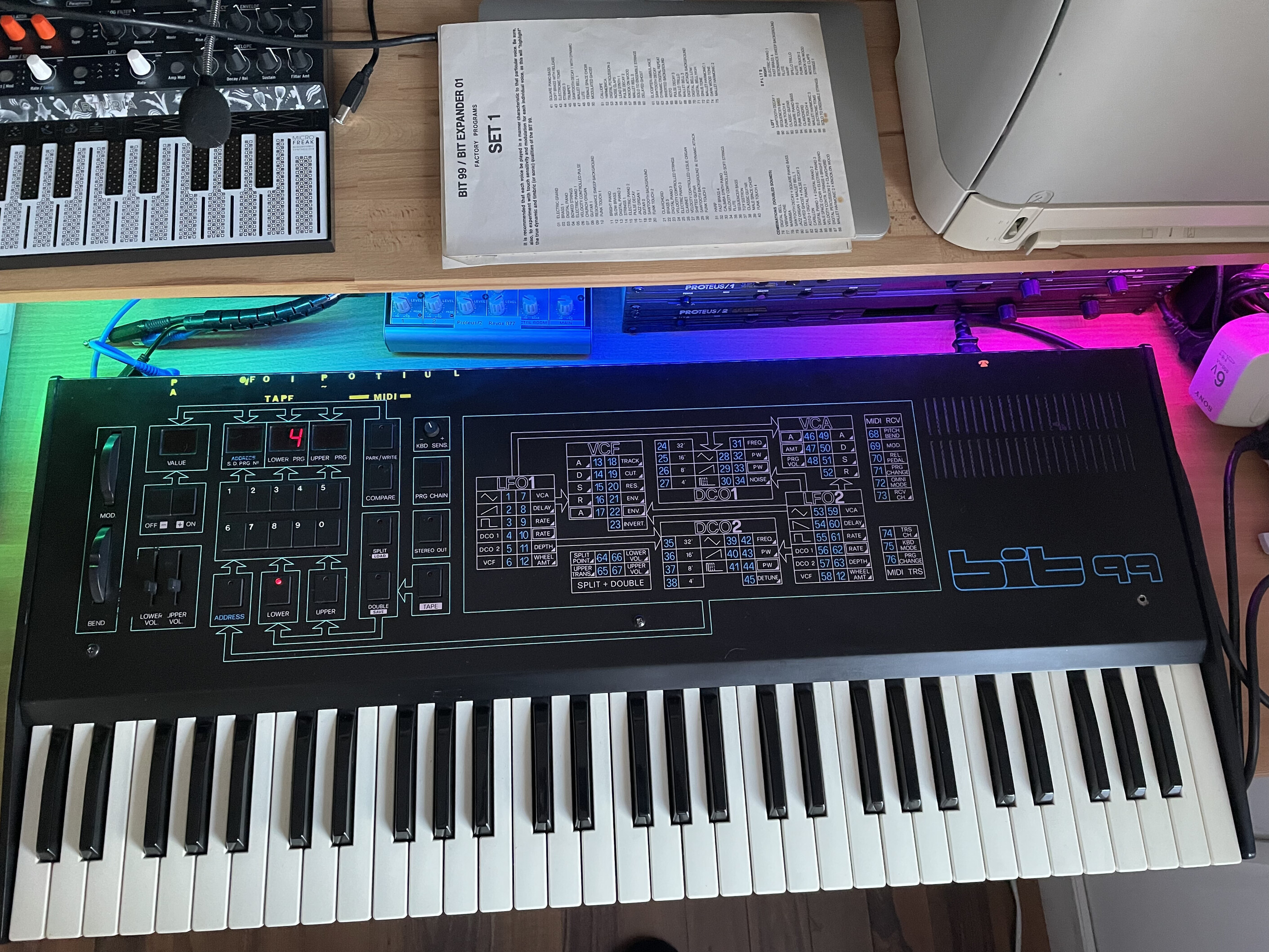
Fig. 2: The Crumar Bit 99 in my studio.
When I tested it with the previous owner, the most important thing for me was that all 6 voices were operating correctly. The Bit 99 employs CEM3328 filter chips that are difficult to source and may be expensive. The rest of the electronics is fairly standard, both on the analog and the digital side. It is nice to see that the Bit 99 came with the original schematics, duly kept by the previous owner.
The synthesizer worked when used with headphones, but the audio output was distorted. Furthermore, when I put it in my studio and tried to use it more seriously, sometimes it was difficult to tune it as it tended to drift abruptly. It is, however, a gorgeous piece of gear, as is evident from figure 2. This synthesizer came from an era when avoiding knobs was seen as the pinnacle of modernity!
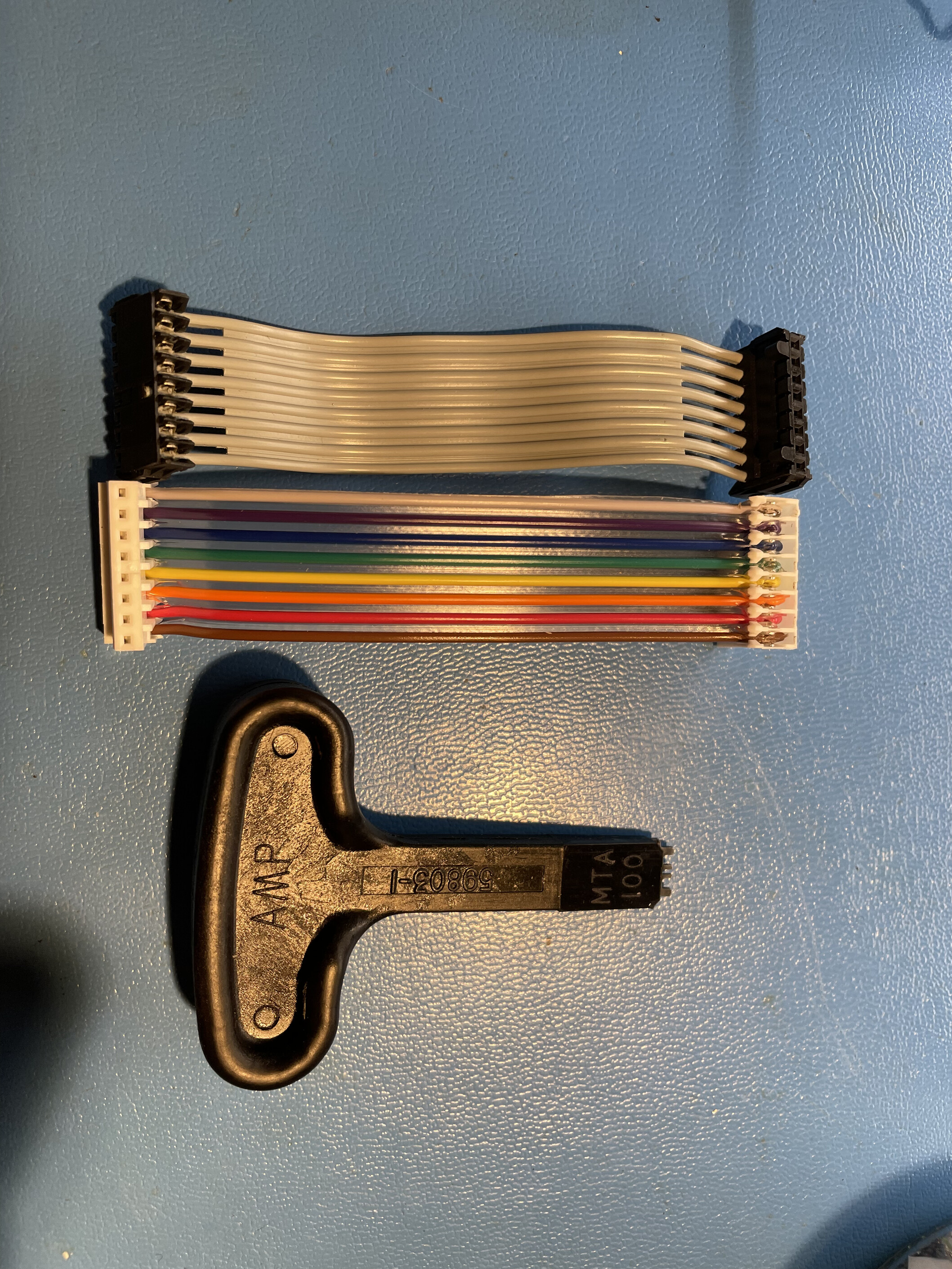
Fig. 3: An old cable, a new one and the tool for assembling the connectors.
The Crumar Bit 99 is notoriously known for developing flaky internal connections, and the solution to the problem is simple and effective: replace them. The appropriate tool for crimping the MTA .100 IDC connectors is visible in figure 3 and is expensive, but it is worth acquiring for such a job. I tested the electrolytic capacitors with my ESR meter, but I did not notice anything wrong with them.
Replacing connectors should be done slowly and methodically: one by one, testing that the synthesizer works after each replacement. This avoids having to chase a bad crimped wire within more than 20 connectors.
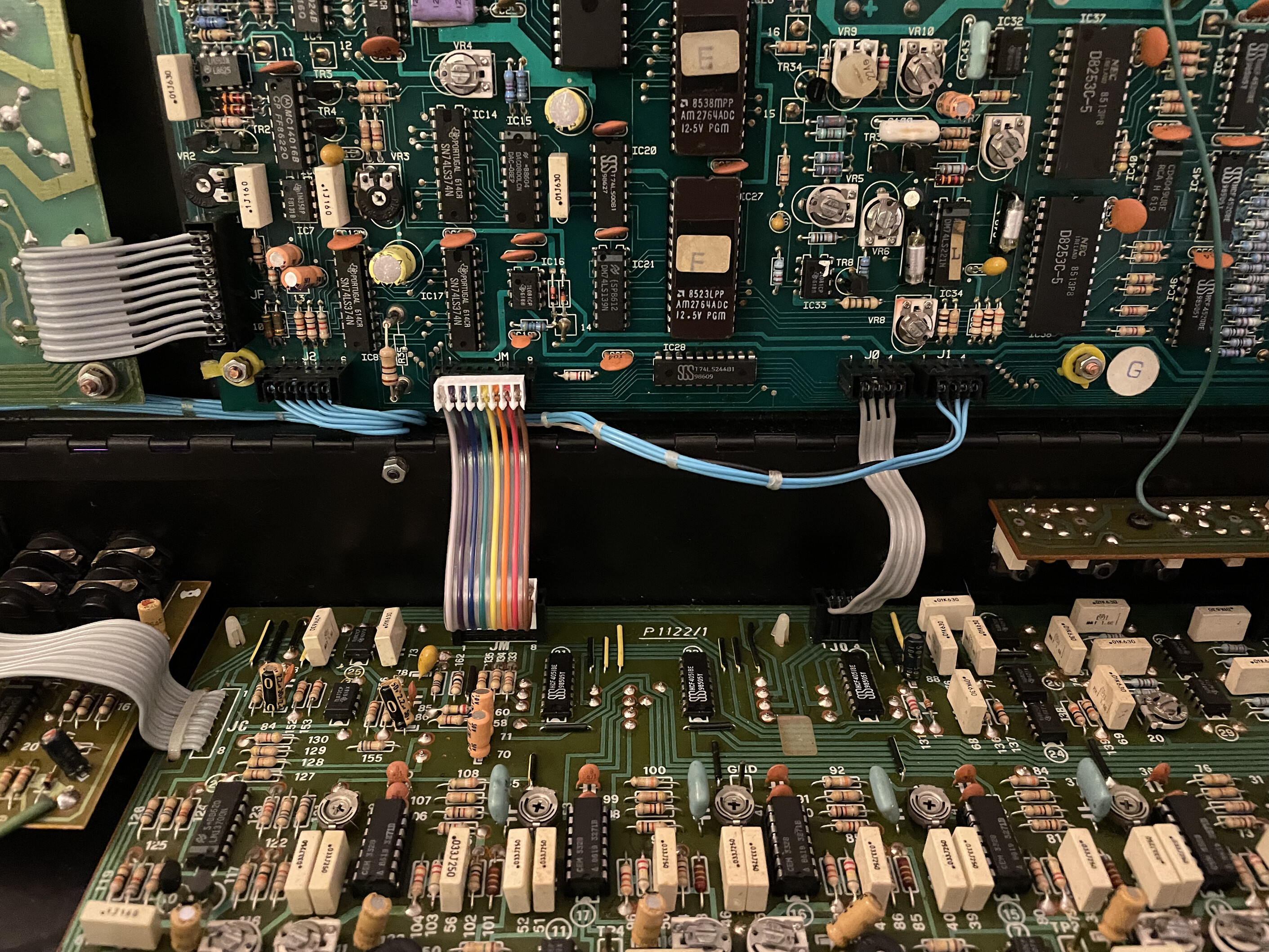
Fig. 4: The new multicolor cables with the new connectors, inside the Bit 99.
I also decided to replace the internal battery with a new one. It's a standard 3025 lithium 3 V cell, easy to find and not prone to fail catastrophically, destroying the PCB and components. What a relief! However, it's a good idea to clean the contacts that can become oxidized. They were very dirty in my synthesizer, as visible in figure 5. I cleaned them with a fiberglass pencil and installed a new battery (figure 6).
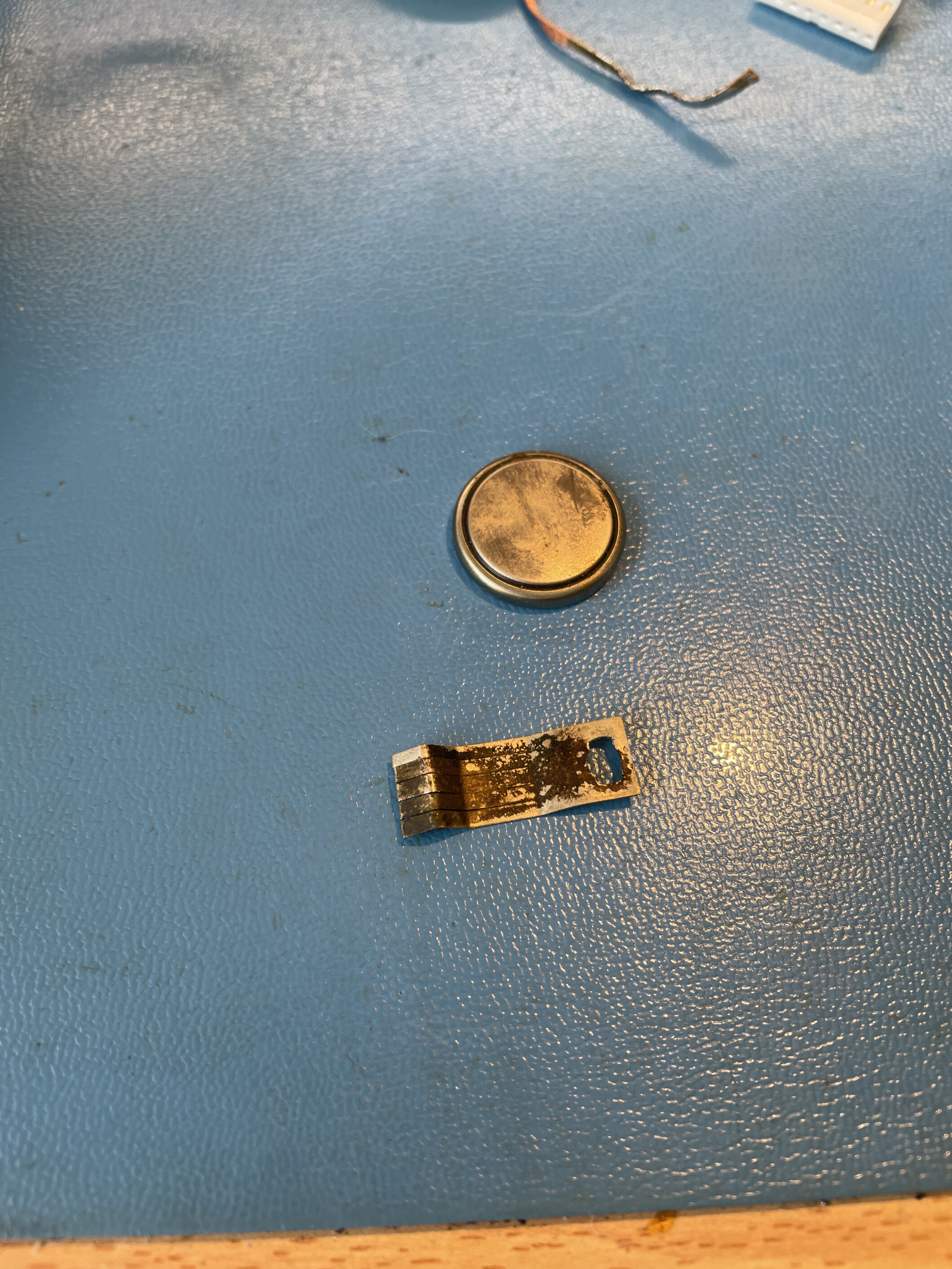
Fig. 5: The old and crusty battery, with a crusty tab.
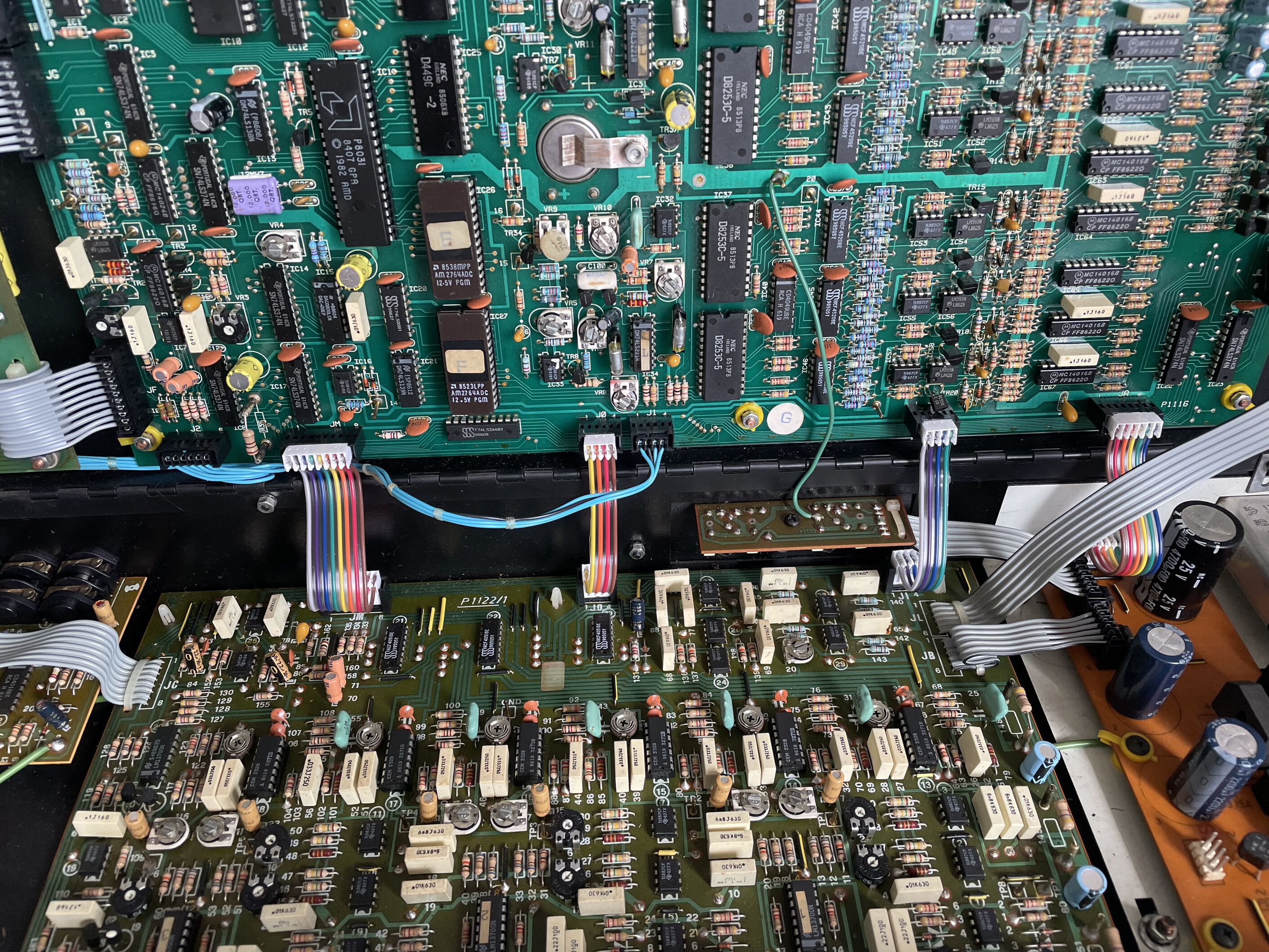
Fig. 6: The Bit 99 with the new battery installed. At the bottom, the filter board with the CEM3328 filters sporting a 1986 date code.
I noticed that the keyboard dynamics was not very even, so I cleaned (with patience) all the contacts in the keybed. I used the fiberglass pencil again, carefully cleaning the keyboard contacts one by one. It requires time, but it is an easy job, as the Bit 99 is one of the most pleasant synthesizers to service I have ever seen.
After a few hours of work, my Bit 99 was reliable and very musical once again. This thing is fantastic for pads, the sweeping analog filters are fantastic and the digitally controlled oscillators (that are almost fully digital) stay almost perfectly in tune. This synthesizer is truly a very nice analog synth, capable of powerful sounds and fantastic atmospheres. I wrote Chasing Auroras, an atmospheric piece featuring the Bit 99 as one of the most important instruments: watch Video 1 below.
Video 1: Chasing Auroras, by Davide Bucci, featuring the Bit 99 synthesizer extensively.
The Crumar Bit 99 synthesizer is a very nice machine. Apart from the false contacts in the connectors, it is not prone to many problems. The mechanical construction is simple and robust. I didn't like the plastic side panels very much. Surely they looked modern in 1985, but I think they didn't age well.
Wooden side panels
I would never choose modifications that could not be restored easily, but the shape of the plastic side panels is so simple and regular that it would be a pity not to try to improve them. Figure 7 shows the two original plastic panels on top of a piece of 18 mm-thick oak panel.
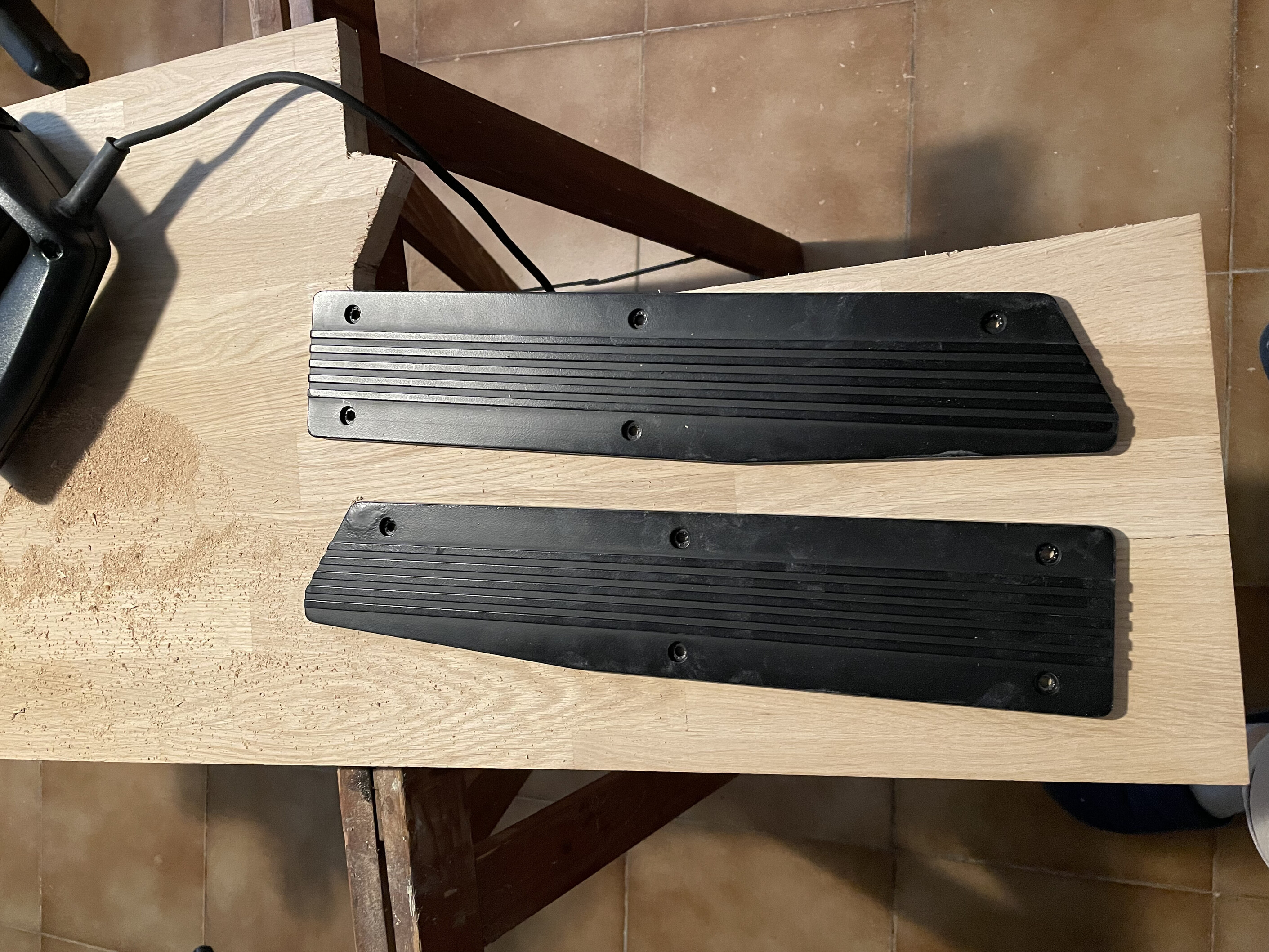
Fig. 7: The old side panels on top of a piece of oak wood.
It is not difficult to fabricate the two wooden side panels: their shape is regular, they only have 5 holes each, and it is possible to work on the two identical pieces of wood by screwing them together. I put three layers of transparent lacquer, gently sanding between each one. I found the result pleasing, but I let you judge for yourself by looking at figures 8 and 9.
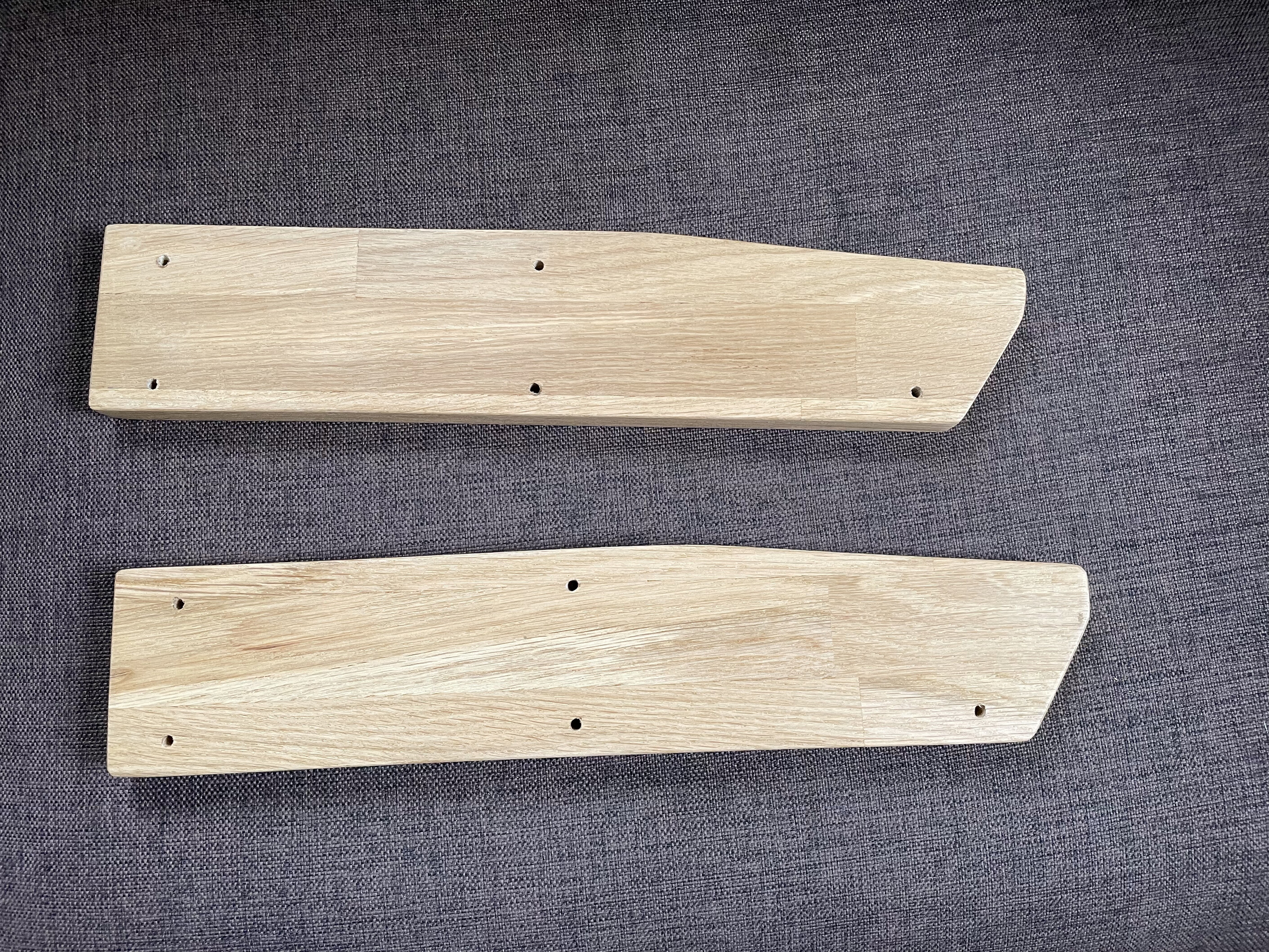
Fig. 8: The new oak side panels.
I only had to change the screws for longer ones to assemble the new wooden panels. It is a fully reversible modification and I am keeping the original plastic panels along with the documentation and the cassettes containing the original presets. I like the result; it fits much better with the image we have in 2026 of a vintage analog synthesizer.
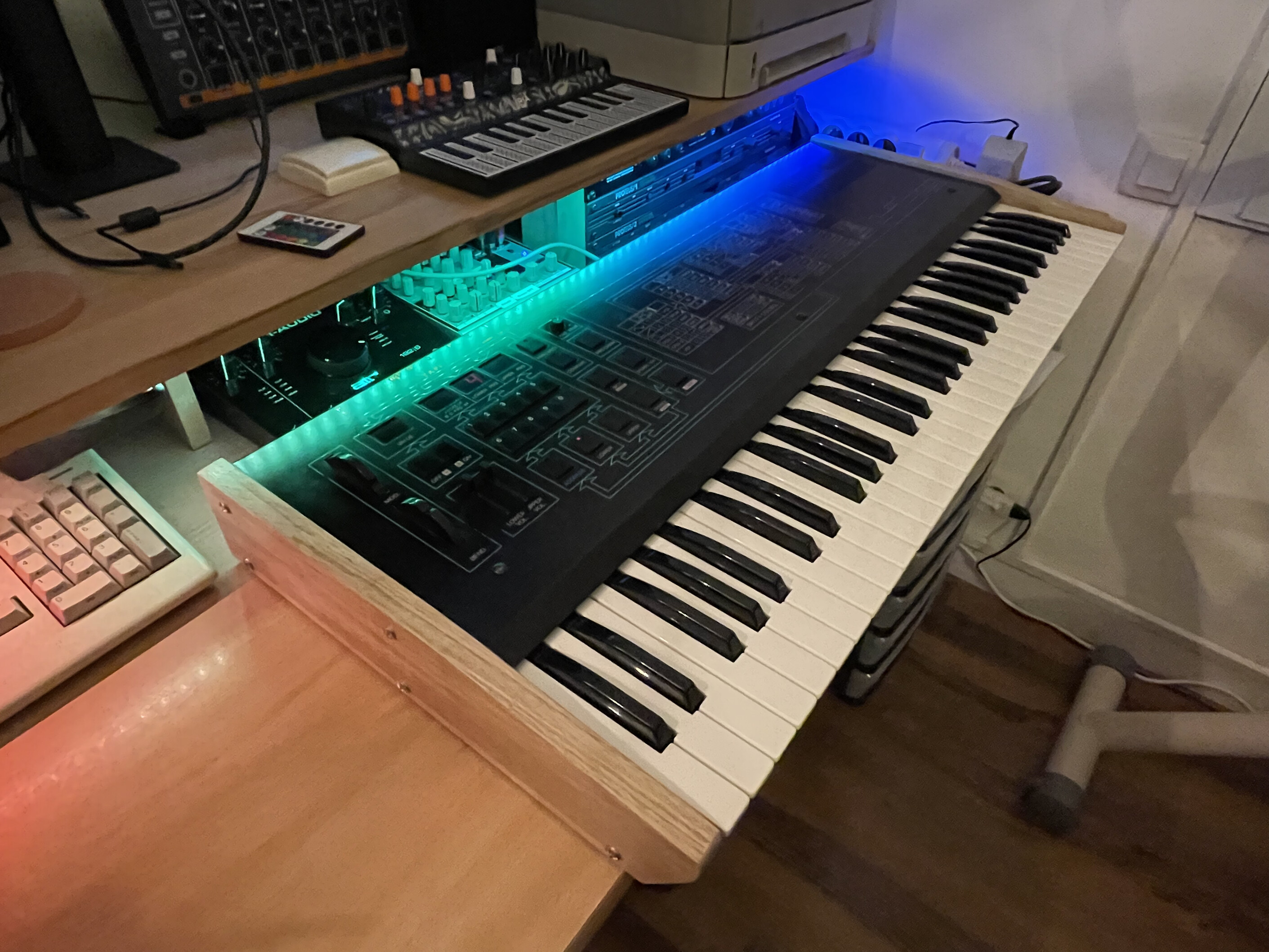
Fig. 9: The finished work.
The Tauntek firmware
I decided to install the Tauntek firmware on my instrument at the end of August 2026. It's a simple modification, just requiring me to swap the two 2764 EPROMs for two new ones. I found a distributor in Europe and bought them. I found the price to be quite expensive for two EPROMs, but I have a rather clear idea of the work that went into it and I was more than happy to support Tauntek.
The new features of the Tauntek firmware improve the ability of the Bit 99 to be controlled by MIDI events. You can change some sound parameters in real time using an external controller. On the other hand, you lose the ability to record the presets on cassette, but this is not something that is very useful in 2026.
An effect that I like is to change dynamically the resonance of a sound to add expressivity.
The MIDI SysEx editor
In a very 1980s spirit, the Crumar Bit 99 had a "modern" interface that almost banished the classic knobs from the synthesizer's user panel. It looked modern in 1986, and you have to enter a number representing the address of the parameter to change, then adjust it using the + and - buttons. With only 4 fields with 2 7-segment displays each, you can visualize and control all the parameters of a patch (called a "program" in Bit 99's jargon). While this is not difficult, as the front panel has a clear indication of the meaning of each parameter, it is clumsy and not very comfortable. The problem is that you never have an overview of the instrument's state.
The Crumar Bit 99 can be controlled using System Exclusive (SysEx) messages over MIDI. To make sound design more comfortable, I developed Bit99Tool, a lightweight native macOS application written in C and Objective-C.
The graphical editor displays all the parameters of a program at once, including a visual representation of its ADSR envelopes. The application also provides MIDI communication and SysEx file management, making it easier to edit, save and restore presets.
Bit99Tool 1.0 is now available for free, as open-source software released under the GPL-3.0 license.
The application is distributed without Apple's code signing and notarization, so macOS security checks may prevent it from opening. Please refer to the release notes if you encounter problems launching it.
Having all the parameters visible at once makes sound design much easier. I have been using the editor with my own Bit 99, but I would welcome feedback from other users, especially bug reports and information about compatibility with the Crumar Bit 01.
As always, make a backup of your important presets before using any editor or SysEx utility.
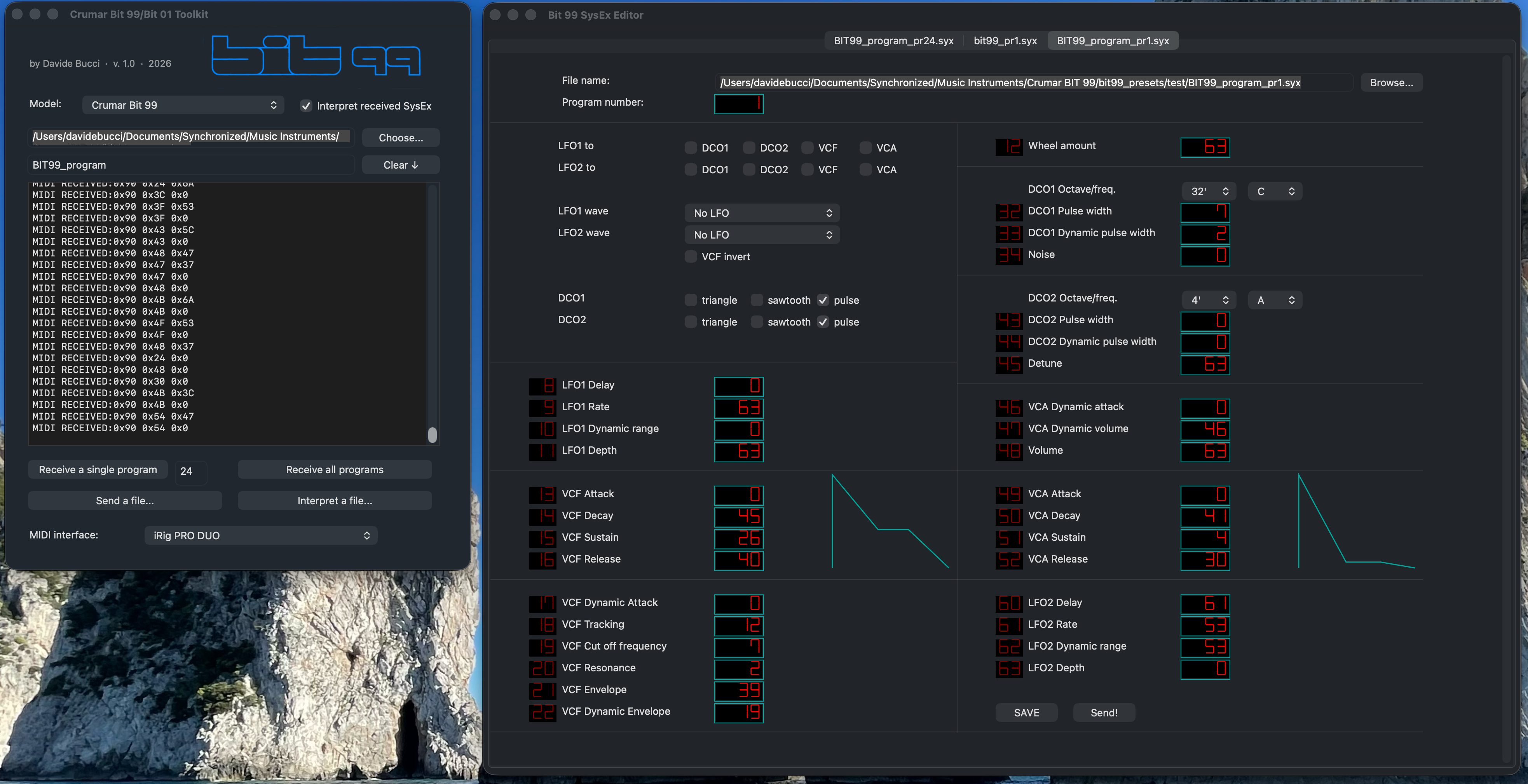
Fig. 10: The program editor I wrote.
If you use and like this little editor, I would be happy to have some feedback.
Conclusion
I really like the Crumar Bit 99. It is very expressive, the keybed is good and the velocity makes it a pretty expressive instrument. The analog sounds have their own specific character; they are creamy, punchy or ethereal, depending on the settings. Gosh, as a composer I love this instrument!
I also loved restoring it. Everything is easy to access, the electronic circuits are easy to understand and employ standard electronic components. Crumar provided a printed copy of the electronic schematics along with the standard documentation for the instrument. It's a dream to repair such a machine!
Video 2: Impro on the Bit 99.
Log
- Oct 17, 2026: Bit99 Tool reaches version 1.0. Typos fixed, added some sentences to the section about the Tauntek firmware.
- Sept 27, 2026: first version of the page, in English.